
A sales representative visits 25 outlets in a day. Orders are booked, stock availability is checked, and retailer concerns are discussed. Yet, by evening, the sales manager still cannot confirm which visits generated business or why several outlets placed smaller orders.
This is not necessarily a sales performance problem. It may be a visibility problem. Manual reporting, disconnected systems, and inconsistent field processes make it difficult to understand what happens between a sales plan and its actual results.
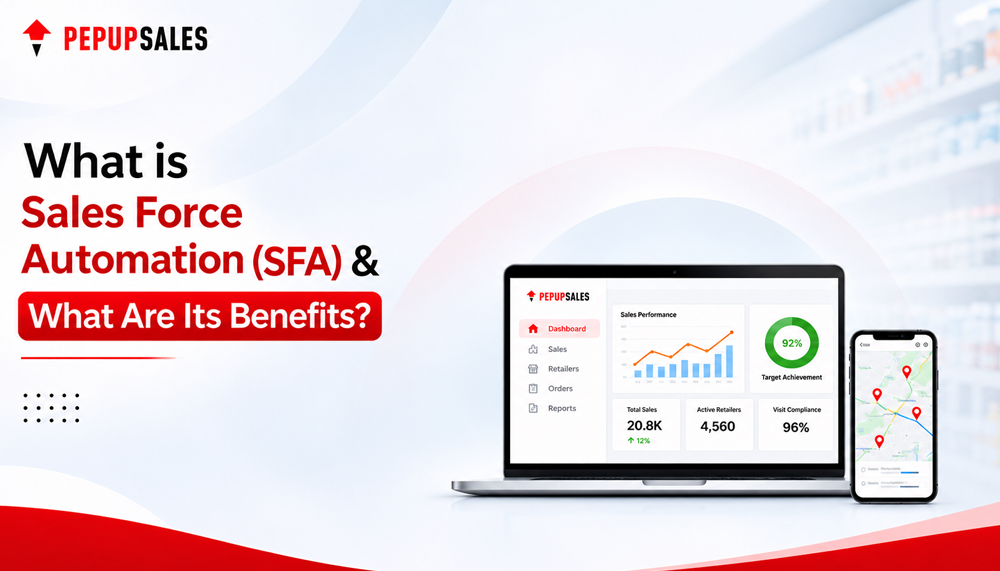
Sales force automation software helps address this gap. It connects field activities with business objectives, giving representatives tools to execute their daily work and managers the information they need to make better decisions.
This guide explains what sales force automation software is, how it works, its key features and benefits, and how to evaluate an SFA solution for your business.
What Is Sales Force Automation Software?
Sales force automation (SFA) software is a digital platform that helps businesses manage and automate routine sales activities. These activities can include visit planning, customer and outlet management, order booking, sales tracking, and performance reporting.
Instead of relying on spreadsheets, paper reports, and repeated phone calls, sales teams use a centralized system to plan activities, record transactions, and access relevant customer information.
An SFA system typically supports three groups:
- Field representatives: Plan visits, check product information, capture orders, and record outlet activities.
- Sales managers: Monitor market coverage, review productivity, identify execution gaps, and coach their teams.
- Business leaders: Analyze sales trends, territory performance, and progress against business targets.
For instance, a consumer goods representative going to a retailer can check out the previous orders, applicable schemes, and product information before placing the next order on the retailer’s website. The manager will then be able to see the recorded activity on a dashboard, rather than needing to wait until the end of the day to get a report.
The real-world goal of field force automation software is to simplify the planning, tracking and optimization of sales execution.
How Does Sales Force Automation Software Work?
SFA software connects the steps involved in field sales execution. The exact workflow depends on the business, but it commonly follows this sequence:
- Plan territories and visits: Managers assign outlets, set visit frequencies, and organize daily beats or routes.
- Prepare for customer interactions: Representatives review outlet details, previous orders, product information, and applicable schemes.
- Execute field activities: Teams record visits, capture orders, update outlet information, and document relevant retail observations.
- Sync and consolidate data: Recorded activities are made available to managers and other connected systems, subject to connectivity and integration settings.
- Review performance: Dashboards and reports help managers compare planned activity with actual execution and identify gaps that need attention.
When an SFA platform supports offline workflows, representatives can record supported activities in areas with limited connectivity. The data synchronizes when the connection returns, according to the platform’s functionality and configuration.
The objective is to create a more consistent process from sales planning to field execution and performance review.
What Are the Benefits of Sales Force Automation Software?
The advantages of Sales Force Automation are not limited to digitizing paper documents. The benefit of the product is to increase the consistency, efficiency, and visibility of the field sales process. The results will be different according to the extent to which the software adapts to the business processes and the way teams utilize the software.
1. Improved Sales Productivity
Sales representatives often spend time compiling reports, searching for customer information, and coordinating routine tasks. These activities detract from productive interactions with customers.
SFA software helps to centralize customer records, visit schedules and order information. Relevant details can be accessed by representatives without having to switch to disconnected tools. For instance, a representative might look at a retailer’s purchase history prior to visiting and see what items might need to be addressed.
Small improvements compounded across a large field team can make a difference for enterprises. Businesses need to track metrics like administrative time, productive visits, and time spent on customer interactions to gauge the true productivity boost from automation.
2. Better Market Coverage and Territory Management
The key to market coverage is to be in the right place at the right time. While a city may look like it has adequate coverage on the map, the valuable retailers are overlooked.
An SFA app enables managers to plan the beats, allocate outlets, track visit completion and determine coverage gaps. Where routes and outlet data support it, using route optimization can further enhance the daily planning process and provide the potential to avoid unnecessary travel.
For instance, a business with multiple territories may be able to analyze planned and completed visits by territory. Managers can then identify areas that require further attention or change in route planning.
Planned-versus-completed visits, outlet reach, visit frequency and productive coverage are useful measures. These indicators can be used together to get a better sense of the use of field resources.
3. Greater Order Accuracy and Faster Order Capture
Manual order entry creates the opportunity for missed promotions, incorrect quantities and incorrect prices. These mistakes may result in corrections, delay in filling orders, and dissatisfaction on the part of the retailers.
An SFA App can do so by allowing field Reps to accept orders electronically, including all necessary product details and set business rules. When it is integrated with inventory and distribution systems, the workflow can also improve the visibility of the availability of the goods and orders.
Order corrections, rejected orders, data entry mistakes and order placement and processing times can be tracked to determine the impact. Standardization of order capture can be achieved with software, but also depends on product data, business rules and integration quality.
4. More Consistent Retail Execution
Retail success depends on more than placing orders. The shopper’s experience can also be affected by product availability, shelf positioning, product displays and assortment.
SFA platforms with retail execution capabilities help field teams record store observations, document merchandising activities, and report stock-outs. Managers will have the ability to monitor outlet executions, determine reoccurring problems and focus on stores that need corrective measures.
This leads to a more uniform execution of the market on a brand level for brands that sell in general trade, modern trade and other channels. These measures could be stock-outs, missing stock, or compliance with regulations.
5. Better Coordination Across Sales and Distribution
Field sales do not operate independently of distribution. Commercial results are affected by order fulfillment, inventory availability, distributor performance and retailer demand.
With integration to a Distributor Management System (DMS), businesses can link field orders to the distributor’s operations and pertinent transaction information. It’s good for businesses with multiple distributors, product lines, regions, and sales channels.
PepUpSales brings SFA and DMS capabilities into a connected sales and distribution ecosystem. This can help businesses to coordinate their field teams, distributors and retailers as a single unit instead of dealing with them separately. Specific workflows available will vary based on scope of implementation and integration.
SFA Software vs. CRM: What Is the Difference?
Sales force automation software and customer relationship management (CRM) software overlap, but they often serve different primary purposes. SFA typically focuses on executing and monitoring sales activities, while CRM often provides a broader view of customer relationships and interactions. Some platforms combine both sets of capabilities.
| Area | SFA software | CRM software |
| Primary focus | Sales execution and workflow automation | Customer relationships and interaction history |
| Typical users | Field representatives, sales managers, and sales operations teams | Sales, marketing, service, and account teams |
| Common functions | Visit planning, order booking, activity tracking, and field reporting | Contact management, lead tracking, account history, and opportunity management |
| Main value | Improves execution and visibility across sales activities | Helps teams maintain a consolidated view of customers and relationships |
A CRM system helps teams understand customer relationships and interactions. SFA software helps teams execute sales activities consistently. The right choice depends on the sales model, the users involved, and the workflows the business needs to manage.
To explore the differences in more detail, read our guide to SFA vs. CRM.
Which Businesses Need Sales Force Automation Software?
Businesses that rely on sales representatives, dealer networks, distributors or retail execution teams can find sales force automation software to be helpful. The processes and needs are different across industry sectors.
1. FMCG and Consumer Goods: Brands have the ability to control their retailer visits, secondary sales, order book, market coverage, and the implementation of trade promotions. SFA software offers the manager an opportunity to review field activity throughout a large outlet network, and look for areas where execution is missing from the process.
2. Automotive and Consumer Durables: Manufacturers can arrange dealer visits, track field activities, capture orders and organise the sales execution across spread dealers. A territory view can help managers see which parts of the field are not being covered by the dealers and track field performance.
3. Building Materials: Companies can arrange dealer and retailer visits, make order visibility more visible and track market coverage in geographically spread areas. There is a standardized workflow that allows field teams to capture customer interactions and take orders.
4. Agriculture and AgriTech: Agri-input companies can get control over their dealer engagement, seasonal sales operations and rural market coverage. When demand and field priorities vary according to agricultural seasons, territory planning is helpful.
5. Apparel and Textile: Companies can control the relationship with retailers, product orders, distributor coordination, and territory coverage. Depending on the platform’s capabilities, workflows can also take into account seasonality and ordering requirements based on size.
6. Food and Beverage and HoReCa: Sales teams can control food-service and HoReCa accounts for restaurants, cafés, hotels, retail stores, etc. Digital ordering and visit planning can assist representatives in coordinating replenishment and ensuring a consistent customer engagement.
7. Pharmaceutical companies: Pharmaceutical companies can organize field visits, keep track of engagement information, and track territory execution. The relevant workflows are determined by the business model of the company and relevant regulations.
8. Liquor and Beverage Distribution: Sales teams can improve outlet engagement, monitor product availability, and coordinate promotional execution. Requirements vary according to the distribution model, channel structure, and applicable regulations.
Why Is Sales Force Automation Becoming Important?
Sales productivity is not simply a matter of hiring more representatives. Businesses also need to understand how their existing teams spend their time and which activities contribute to commercial outcomes.
According to Salesforce’s State of Sales report, seventh edition, sales representatives spend approximately 60% of their working time on non-selling activities.
In May 2026, Gartner reported that AI saved sellers an average of 4.8 hours per week, while 72% of surveyed sales organizations reported low reinvestment of those time savings into high-value activities.
These results highlight a critical difference: Technology improvement does not necessarily mean performance improvement. Processes should also be redesigned and employees need to be able to utilize the time and information they’ve acquired.
This can involve cutting down on repetitive reporting, better visit planning, easier order capture and better performance data to help prioritize meaningful customer interactions for field sales organizations.
How to Choose the Best Sales Force Automation Software
Choosing the best sales force automation software starts with understanding your sales process. Assess the platform’s functionality in terms of territory planning, field visits, order booking and offline operations. Ensure it integrates with your ERP, CRM, DMS and accounting systems. In addition, evaluate its reporting functionality, configurability, and support for regional, team, and sales channel scalability as your company expands.
The implementation and the adoption of the solution are as important as the functionality. Check the vendor’s process for onboarding, training, integration and issue resolution. Prior to implementation, set up clear performance indicators like productive visits, conversions of orders, average order value and market coverage. These numbers will enable you to assess its true business value.
To gain more comprehensive insights into selecting the right solution for your business, read our blog to choosing the best sales force automation software in India.
How PepUpSales Helps Enterprises Improve Sales Execution
PepUpSales is an AI-powered sales and distribution platform designed to help businesses connect field sales, distributor operations, retailer engagement, and retail execution.
For enterprise teams, the challenge is rarely limited to tracking visits. They need visibility across territories, reliable field workflows, integration with existing business systems, and consistent execution across markets. PepUpSales brings related capabilities together in a connected platform.
1. Supports Complex Sales Operations
PepUpSales supports field sales activities, visit planning, order capture, performance monitoring, and route optimization. Its broader capabilities include distributor management, van sales, retailer engagement, loyalty management, and visual merchandising.
This connected approach can help enterprises coordinate related workflows instead of managing field sales and distribution through disconnected processes.
2. Supports Fieldwork in Low-Connectivity Areas
PepUpSales enables representatives to capture and record orders and supported activities offline without an internet connection. Data will be synced when it comes back online, according to the app’s configured workflows and supported approach.
This is important to companies that serve rural areas, remote locations, and have poor mobile connectivity. When evaluating, teams should test the specific offline activities that they use the most.
3. Connects Sales Execution With Distribution
PepUpSales has the ability to integrate SFA workflows with DMS and other business applications. Its seamless integration can help businesses sync field transactions with the appropriate distribution and back-office processes.
The scope of integration, supported systems and synchronization rules need to be validated with the business requirements prior to implementation.
4. Uses AI to Support Field Decisions
PepUpSales includes AI-oriented capabilities such as route optimization, predictive analysis, and AI-assisted order taking. These can be used to plan, find patterns, and make decisions in the field.
Effect depends on good data, correct setting of the workflows, and implementation of the suggested changes by teams.
5. Provides a Platform for Enterprise Operations
PepUpSales has served more than 1,000 brands across industries, with over 200,000 users and 7.5 million retailers connected. The company has also reported a presence in 15+ countries and 20+ third-party integrations.
Enterprises should also assess how the platform’s configuration, integrations, security requirements, reporting, and support model fit their operating environment.
Businesses evaluating enterprise sales force automation software in India can assess PepUpSales against their requirements for market coverage, order management, integration, retail execution, and analytics.

Conclusion
Sales force automation software helps businesses bring structure to field sales, reduce repetitive work, and improve visibility into execution.
For enterprises, its value depends on how well it connects daily field activities with wider commercial goals. The right approach to better visits, accurate order capture, insightful analytics, and coordination with distribution can all help to make the execution more effective with the right processes and consistent adoption.
PepUpSales integrates SFA, DMS, retail execution, and AI-powered features into a seamless sales and distribution platform. Businesses can evaluate these capabilities against their operational needs, integration requirements, and growth plans.
Ready to improve sales productivity and market visibility? Explore PepUpSales SFA to see how its capabilities may support your field sales operations.
Frequently Asked Questions
1. What is sales force automation software?
Sales force automation software digitizes and helps automate field sales activities, including visit planning, order booking, customer management, and reporting. It gives representatives tools to manage their work and helps managers review field execution.
2. What are the main benefits of sales force automation software?
Common benefits include improved sales productivity, better market coverage, more consistent order capture, stronger performance visibility, and faster access to field data. Actual results depend on the platform, implementation, and team adoption.
3. Can PepUpSales SFA Software integrate with existing CRM, ERP, or HRMS systems?
Yes, PepUpSales SFA Software integrates with your existing business systems, including SAP, Microsoft Dynamics NAV, Zoho, Odoo, Tally, BUSY, Vyapar, and 20+ other business tools. These integrations help synchronize retailer details, product information, orders, sales transactions, and inventory data, reduce manual data entry, improve data accuracy, and connect field sales operations with your broader business processes.
4. Which industries can use PepUpSales SFA software?
PepUpSales serves businesses across industries including FMCG, retail, dairy, food and beverages, cosmetics, liquor, automotive, pharmaceuticals, agriculture, apparel and textile, stationery, paints, consumer durables, and building materials. Suitability depends on the business’s sales processes and configuration requirements.
5. Is PepUpSales suitable for enterprise sales teams in India?
PepUpSales is designed to support connected field sales and distribution operations, including territory planning, order management, analytics, and integrations. Enterprise teams should evaluate its scalability, configuration options, security requirements, integration scope, and support model against their needs.
6. How can businesses measure the ROI of sales force automation?
Businesses can measure changes in productive visits, order conversion, market coverage, order accuracy, and administrative time. Comparing these indicators with a pre-implementation baseline helps assess operational impact. The calculation should also account for implementation, integration, training, software, and ongoing support costs.


